


Friday, Jan 16, 2026
5 Interior Design Apps Actually Worth Your Time (We Tested Them All)
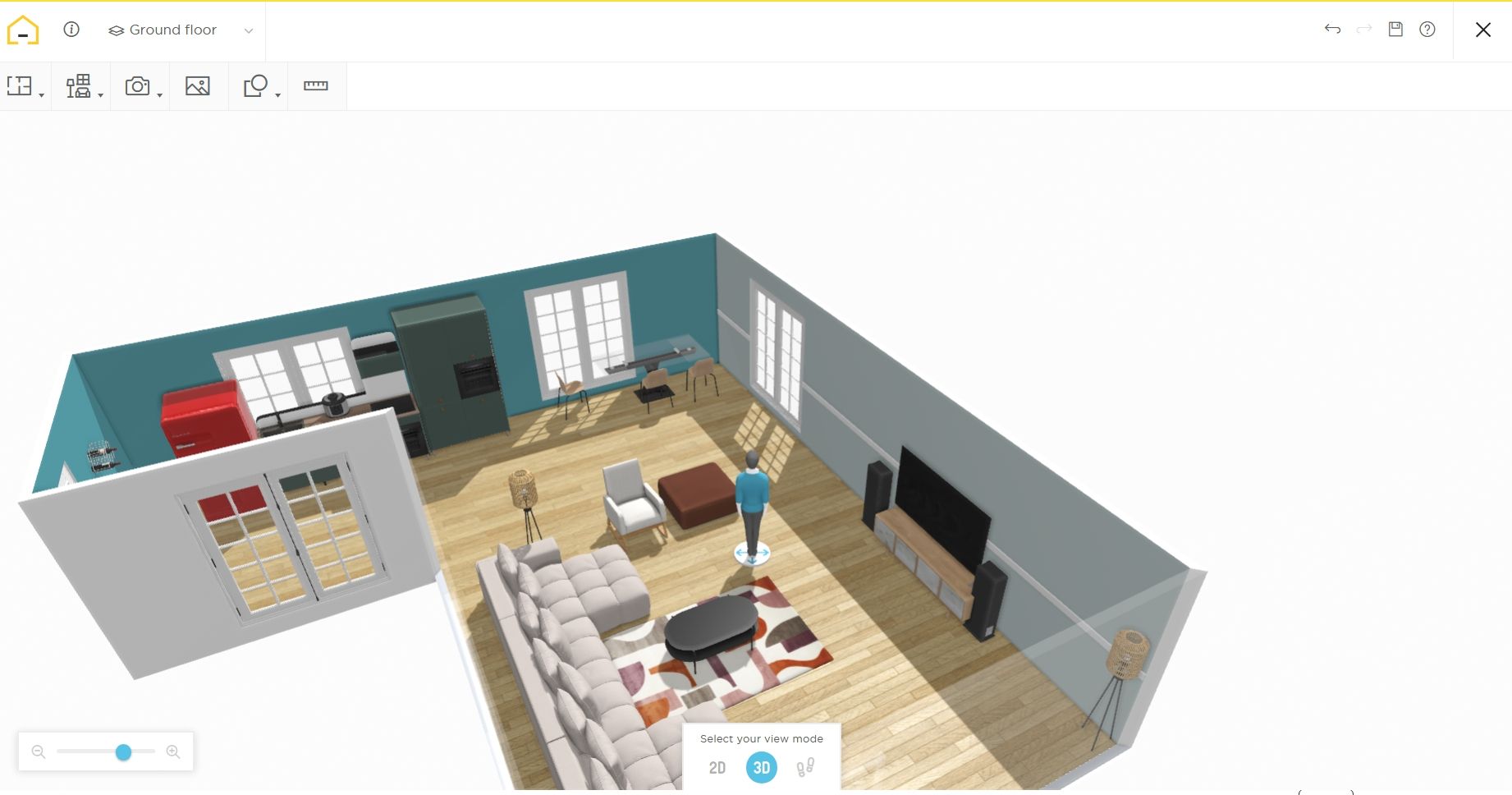
Let’s be honest, interior design apps blew up way more than anyone expected. With small indie builders hopping on the bandwagon with AI apps that are actually wrappers, and big corporations like Ikea and Amazon setting off waves with their own ecosystem integrations.
But while we’re spoilt for choice, we find that many of these apps over-promise and under-deliver. You download an app promising to transform your bedroom. Five minutes later, you're staring at toolbars, wondering why dragging a virtual sofa feels harder than moving your real one.
So, we decided to do something about it by testing many new entrants and making a list of our favorites.
How We Tested These Apps
We tested six widely recommended design apps with a simple question: Does this actually help you make better decisions before spending money?
We didn’t really pay attention to things like:
- Number of features
- How impressive it looks
In this comparison post, we shared:
- Who these apps are best for
- Their learning curve
- How sufficient their free plans are
- If they use AI
- The cons
- What we think
The Quick-Reference Guide to Know Which App Fits Your Needs
| You Need | Use This App | Why It Works |
|---|---|---|
| Fast furniture layout testing without a learning curve | Homestyler or All Things Snug | They use drag-and-drop, and you can see results in under 10 minutes |
| Budget-conscious planning with clear cost tracking | Roomstyler or All Things Snug | Their free tiers aren't crippling, and they focus on execution over perfection |
| Precision measurements for renovation contractors | Planner 5D or SketchUp | You get CAD-level accuracy, exportable floor plans professionals can use |
| Complete project planning from idea to shopping list | All Things Snug or HomeByMe | They connect design visualization to actual purchases and budgets |
1. Homestyler: Best Freemium Visualization for "Show Me What This Looks Like"
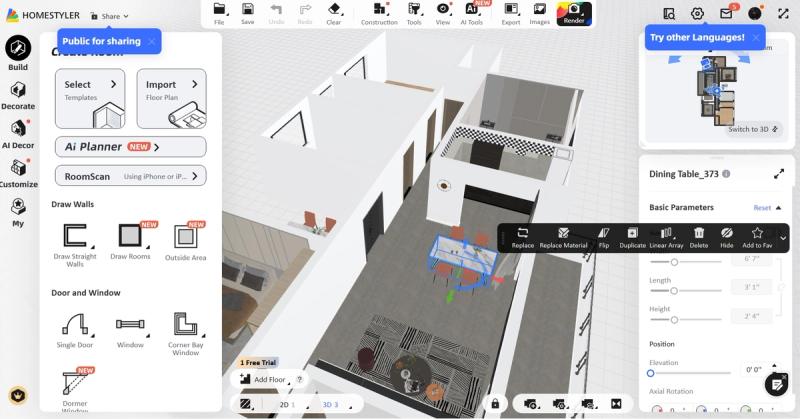
Homestyler started in 2009 as an internal prototype of project Dragonfly developed by Autodesk in 2009 and has since then grown to become a popular app for home design, allegedly used by over 17 million people globally.
Best for: Visual thinkers who need to see an idea before committing
Learning curve: The menu is quite overwhelming, but it takes about 15 minutes to get comfortable (if you ignore most of the buttons).
Free version: The free version is genuinely useful, though it’s a very basic experience compared to what’s behind the paywall
AI Integration: Homestyler aggressively integrates AI, even having a whole suite of AI features

Homestyler wins at one thing: turning vague ideas into convincing 3D renders fast. Your sofa looks like an actual sofa, and the drag-and-drop interface feels intuitive because it mirrors how you'd naturally describe a room: "Couch here, TV there, bookshelf against that wall."
Heads Up! We must add that the experience is not so good on mobile, between bugs, moving and resizing furniture, you’d spend more time tweaking a single setup than organizing your ideas. We recommend using the desktop version.
The furniture library includes recognizable brand names with real dimensions, which matters more than you may think. The AR preview feature is our favorite, as it lets you virtually place items using your phone camera.
Where it falls short: Free users hit rendering quality limits quickly. High-resolution exports and some premium furniture catalogs require subscriptions starting at ~$20/month. The performance lags with complex room designs or multiple rooms open simultaneously.
The bottom line: If you need fast visual feedback and aren't planning whole-home renovations, Homestyler delivers that.
2. All Things Snug: Best for Turning Rough Ideas into Actual Designs and Plans

All Things Snug is an emerging app for home design. Specifically targeting homeowners and renters, the app combines home design with community building, allowing our users to turn any decor and renovation ideas they have into a ready 3D design and plan they can execute. All Things Snug launches on the Apple store in March.
Best for: Homeowners and renters who know the vibe they want but not how to execute it
Learning curve: It has a very minimal as it is built for non-designers
Free version: It has a generous free plan that offers 3 free scans and up to 4 designs, enough to fully design a small home.

All Things Snug solves the gap between inspiration and execution. Where most apps stop at visualization, this one asks, "Okay, now how much will this cost, and where do you buy it?"
You scan your rooms, test layouts and colors, save variations to mood boards for comparison, generate shopping lists, and even share your designs with other homeowners and renters for feedback. The AI design assistant suggests items that fit your space and style without drowning you in generic recreations.
Where it falls short: If you need millimeter-precise construction drawings or advanced CAD exports for structural changes, you'll need professional-grade software.
The bottom line: This is the most practical option for DIY decorators who want confidence before spending money on home improvement projects.
3. Planner 5D: Best for Serious Renovators Who Need Contractor-Ready Plans

Planner 5D started in 2011 as a simple 3D home design tool for non-professionals, and just like Homestyler, it’s long become popular for both DIY homeowners and professionals, boasting over 100 million users globally.
Best for: Advanced DIYers planning renovations with measurable details
Learning curve: 2-3 hours to proficiency
Free version: The free version is very limited, it’s essentially a demo, you get the very basics, and that’s it.

Planner 5D delivers power and precision. You can adjust wall thickness, ceiling heights, and lighting angles (details that affect contractor bids and building permits). The AI Smart Wizard generates multiple layout options automatically, which speeds up the brainstorming phase.
The render quality rivals professional visualization software, producing photorealistic images that help contractors understand your idea.
Where it falls short: The interface overwhelms casual users. If you're just rearranging furniture, this is overkill. The free tier restrictions are aggressive, as most useful features require paid plans starting at ~$20/month.
The bottom line: Planner 5D is great for renovation projects involving contractors, permits, or structural changes. But it’s too much of an app for cosmetic improvements swapping out throw pillows.
4. Roomstyler: Best Zero-Cost Option for Layout Sanity Checks

Roomstyler is another app for home design that originated from another, this time from Floorplanner.com. Before I continue, I want to let you know that this app is completely web-based, as of January 2026, there’s no mobile app version available.
Best for: Visualizing decor ideas without any subscription, especially works for checking layouts, materials, and colors.
Learning curve: Under 15 minutes
Free version: The free version is fully functional
Roomstyler is simple on purpose. You sketch a room, drag-and-drop in furniture, and see how it looks. It won't win any design awards, but it helps answer basic decor questions.
The interface feels dated compared to sleeker competitors, but that simplicity means it runs smoothly on older devices and doesn't demand high-end graphics capabilities.
While working in 2D was a breeze, I had difficulties seeing the whole design in 3D… many people may give up here.
Where it falls short: The graphics quality is basic. You don’t get advanced lighting, more material customization, and it won't guide you through style decisions or execution.
The bottom line: Roomstyler is solid for initial layout validation when you're not ready to commit time or money to more complex tools.
5. HomeByMe: Best for Decorating Around Specific Products You Already Love

We spent the longest time and had the most fun with this one, and we think you’ll enjoy using this too! If only just twice.
HomeByMe boasts a massive, community-driven user base of over 20 million users worldwide, and is a 3D home design platform developed by French tech giant Dassault Systèmes. It makes home design feel fun and easy with drag and drop, high quality visuals, branded products, and various gestures that make you feel like you can design anything.
Best for: Shoppers starting with very little design knowledge and skill
Learning curve: Easy. It takes about 10 minutes to get comfortable
Free version: Good enough to design a room, but you only get two projects on the free version

HomeByMe's strength is its product-first approach. The catalog features actual items from major retailers with accurate dimensions, so when you design around any theme you've been eyeing, you know exactly how it'll fit.
The browser-based platform means no downloads, and the rendering engine produces respectable realistic visualizations for client presentations or family decision-making.
Where it falls short: Free accounts face strict project and rendering limits, and the interface can feel cluttered as the room design complexity increases.
The bottom line: It’s a very strong choice when you've already identified specific furniture pieces and need to see how they work together in your actual space.
Honorable Mention
SketchUp: Best for Technical Users Who Want Complete Control

Best for: Builders, designers, and technically inclined DIYers
Learning curve: It’s very steep; expect 10+ hours to any sort of competency
Free version: It’s basic but functional
SketchUp gives you total freedom: millimeter precision, unlimited customization, extensive plugin ecosystem. It's the tool professional designers use for custom carpentry, built-ins, and complex spatial planning.
Where it falls short: You get zero hand-holding or built-in style guidance. You're building everything from scratch, line by line.
The bottom line: If you’re not a professional or don’t want to spend more time learning the software than designing, you’re better off with All Things Snug or HomeByMe.
When Design Interior Apps Aren't Enough
No app replaces professional expertise for:
- Structural changes (removing walls, adding windows)
- Electrical, plumbing, or HVAC modifications
- Projects requiring building permits or code compliance
- Spatial planning challenges you can't visualize confidently
Frequently Asked Questions
Which apps are genuinely free without crippled features?
All Things Snug, Roomstyler, and HomeByMe basic plans offer useful functionality without feeling like extended demos pushing you toward subscriptions.
Do I need precision measurements or is "close enough" okay?
For furniture placement and decorating: close enough works. For renovations involving contractors, cabinetry, or built-ins: you need tape-measure accuracy, which apps like Planner 5D and SketchUp provide.
Can these apps prevent the "looks great online, terrible in person" problem?
Apps with AR preview features (Homestyler, All Things Snug) and those using real product dimensions (HomeByMe) significantly reduce this risk. They can't eliminate it though, as lighting, texture, and material quality will still surprise you, but they catch major scale and proportion mistakes.
Which app is best for non-technical people who just want help deciding?
All Things Snug and HomeByMe have the gentlest learning curves and focus on guided decision-making over overwhelming you with tools.
How do I know when I've outgrown an app and need professional help?
When any mistakes would cost more than hiring expertise. If you're redesigning entire floor plans or can't visualize spatial relationships confidently, that's your signal.


&media=https%3A%2F%2Fcdn.sanity.io%2Fimages%2Fqcm46niu%2Fproduction%2F3eb6cf5030bf2b68fddebacf0da3cff20df73fd1-1842x968.jpg)

Saviour Udoh
Founder, Experienced Home Decor Enthusiast
Saviour Udoh has been hands-on with DIY home projects since his teens and later founded All Things Snug to close the gap between inspiration and execution. He writes about practical design decisions that prevent overspending, layout mistakes, and regret-filled purchases.
